The Pharo Music image is a ready-made Pharo image with Coypu, Phausto and their native libraries already in place. Nothing to download separately, nothing to copy, no Metacello. It is the fastest way to get sound out of Pharo, and the recommended starting point if you are new to any of this.
Install it
Download the Pharo Launcher, then:
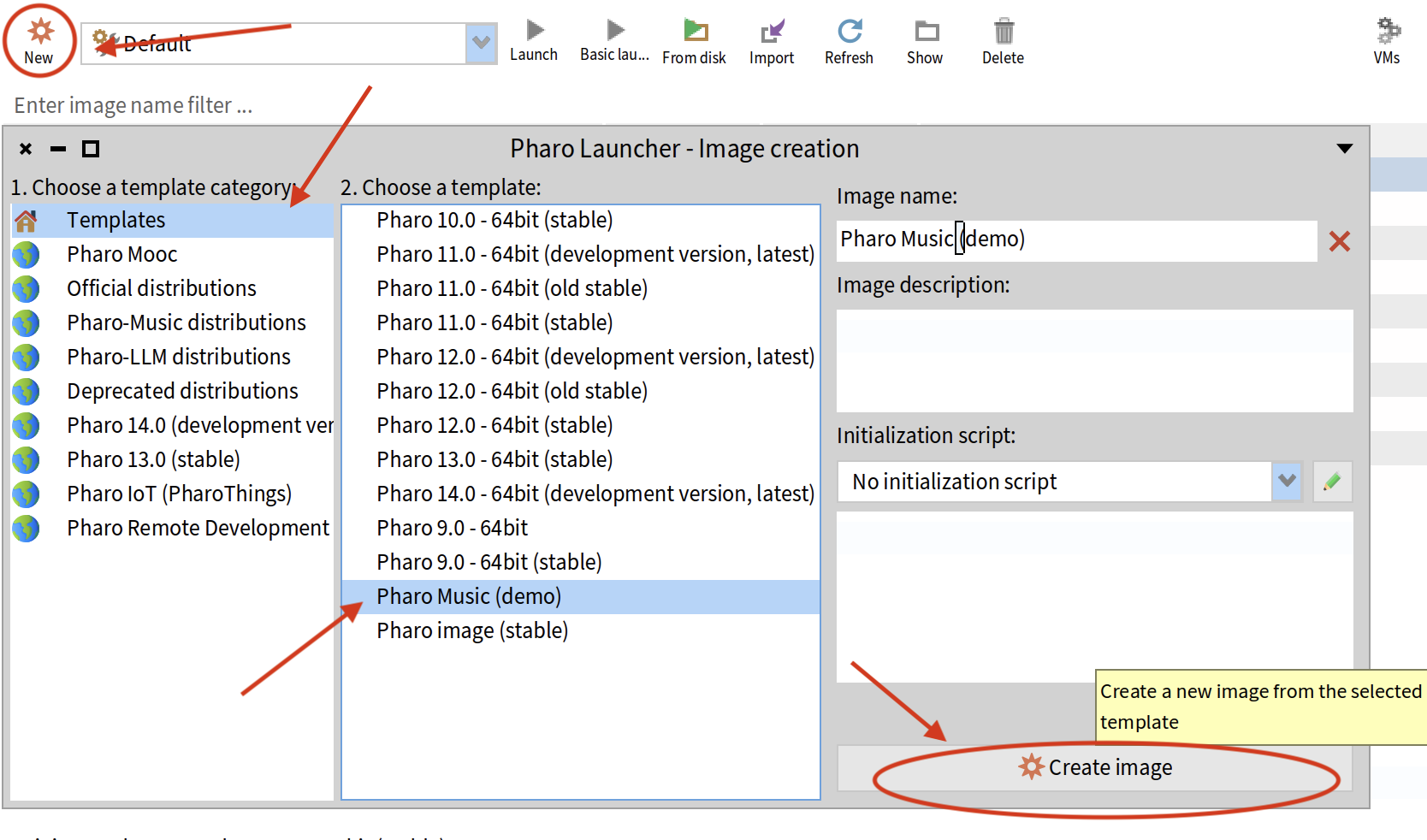
- Click New → select category Pharo-Music distributions
- Choose Pharo Music (demo) from the template list
- Click Create image
- Double-click the new image to launch it
What is already in it
| Package | What it gives you |
|---|---|
| Coypu | Live-coding client — SuperCollider/SuperDirt, Kyma, PureData, Phausto and MIDI |
| Phausto | Embedded Faust DSP engine, CoreAudio driver, CMajor/Bela exporters |
| Native libraries | The librariesBundle Phausto needs, already beside the image |
Where to go next
Open a Playground in the new image and start here:
- Phausto — First Sounds — build a synth and hear it
- Coypu — First Sounds — your first rhythm on an instrument
- Coypu — Rhythm Library — every rhythm, with audio previews you can play in the browser
ADC 2025 Workshop
A comprehensive 2-hour workshop covering all the essentials for Phausto and Coypu. Installation is now simpler with the Music Image, so youcan skip that part of the video.
If you would rather build your own image
The Music Image is a convenience, not a requirement. Both packages install into any Pharo 11–13 image via Metacello — see the Phausto install notes and the Coypu install notes.
Troubleshooting
The Pharo-Music distributions category is not in the list. The templates are fetched over the network; check your connection and reopen the New dialog. An older Launcher may also not carry the category — use 3.4.4.
The image opens but there is no sound. Phausto needs its native libraries in the same folder as
the .image file. In the Music Image they are already there, so if sound is missing the image was
most likely moved without its companion files — recreate it from the template.